Full-time: Available
Part-time: Available
Service

Website speed optimization, measured in numbers.

A slow site costs you rankings and conversions, and "it feels faster" is not proof. I fix what is actually dragging the score down, get Core Web Vitals into the green, and hand you a before-and-after report you can check yourself. On sites I built and sites I did not.

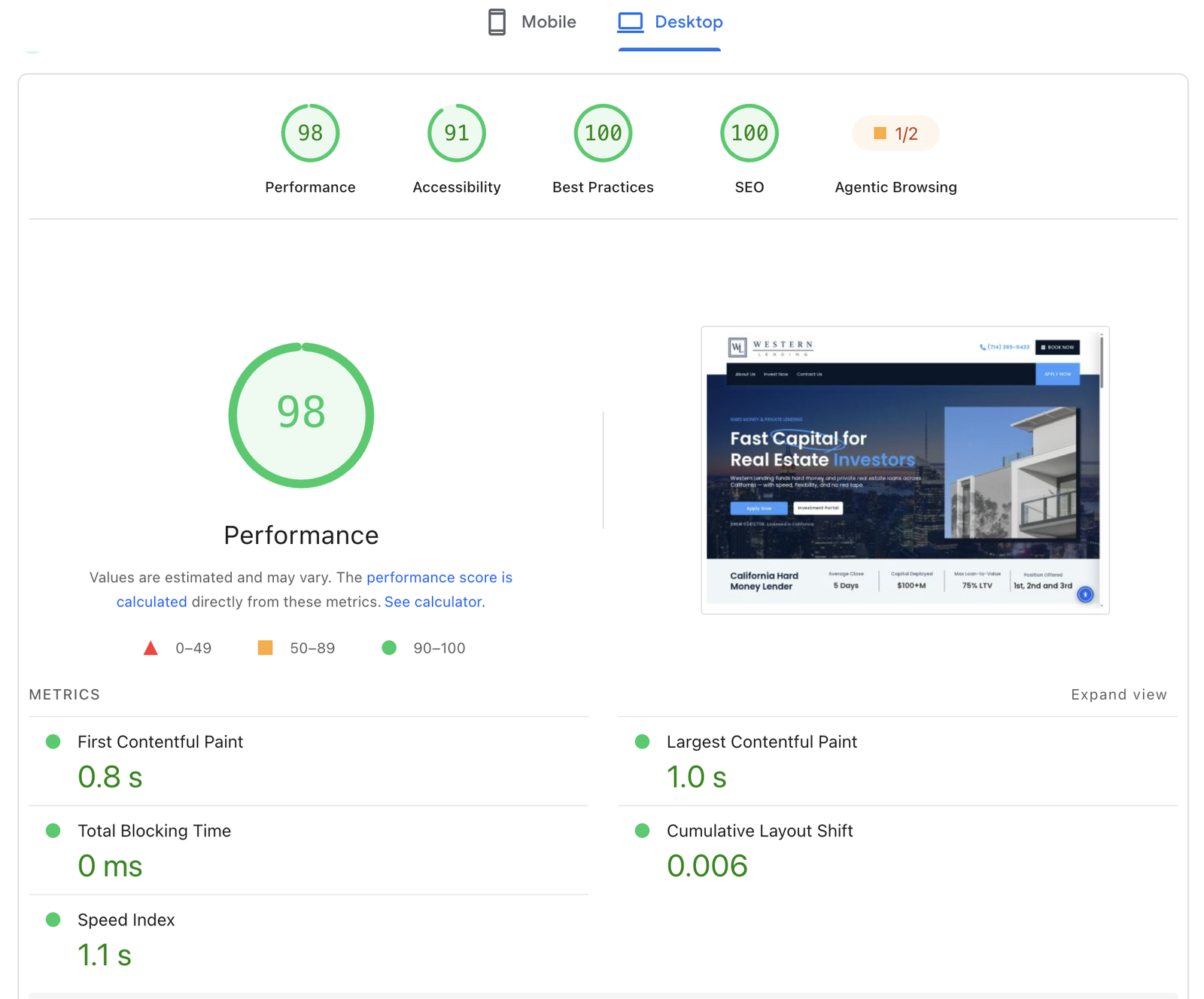
PageSpeed Insights report for Western Lending on desktop: Performance 98, Accessibility 91, Best Practices 100, SEO 100, First Contentful Paint 0.8 s, Largest Contentful Paint 1.0 s, Total Blocking Time 0 ms, Cumulative Layout Shift 0.006
The work

What a speed optimization pass actually involves

Deliverables

Every speed project ships with this.

Offer

Get the website for free.

Commit to keeping it maintained and the build itself is on me.

● Free website

8 months of maintenance

$99/month
Sign up for 8 months of maintenance and the build is free. Updates, backups, security patching and speed monitoring included.
See pricing
● Free website

Hosting + maintenance, 6 months

$115/month
Take managed hosting and maintenance together for 6 months and the build is free. Hosting, updates, backups, security and monitoring in one plan.
See pricing
How it is done

Fixing the cause, not gaming the score.

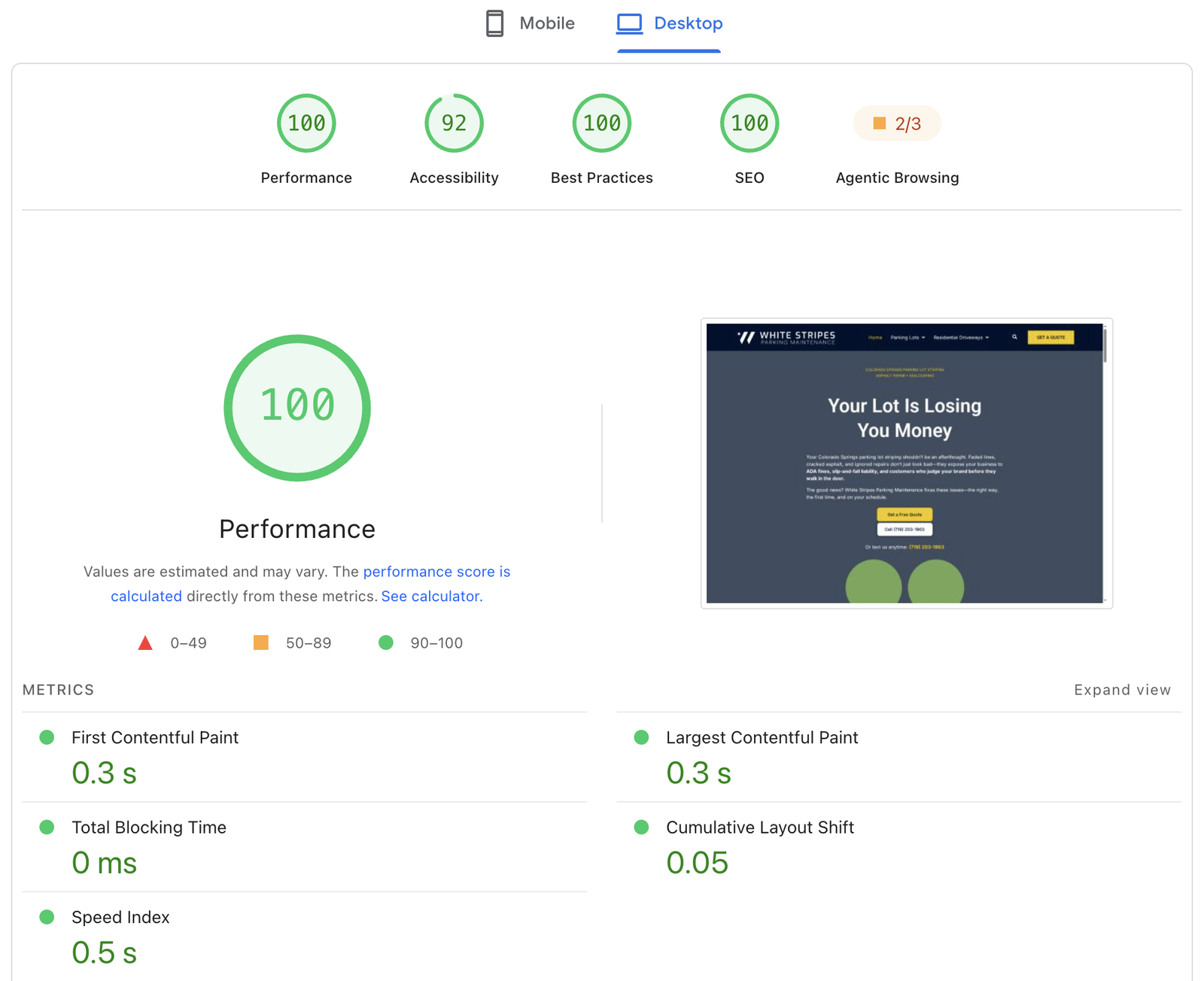
PageSpeed Insights report for White Stripes Parking Maintenance on desktop: Performance 100, Accessibility 92, Best Practices 100, SEO 100, First Contentful Paint 0.3 s, Largest Contentful Paint 0.3 s, Total Blocking Time 0 ms, Cumulative Layout Shift 0.05

A recent build

Measured before and after

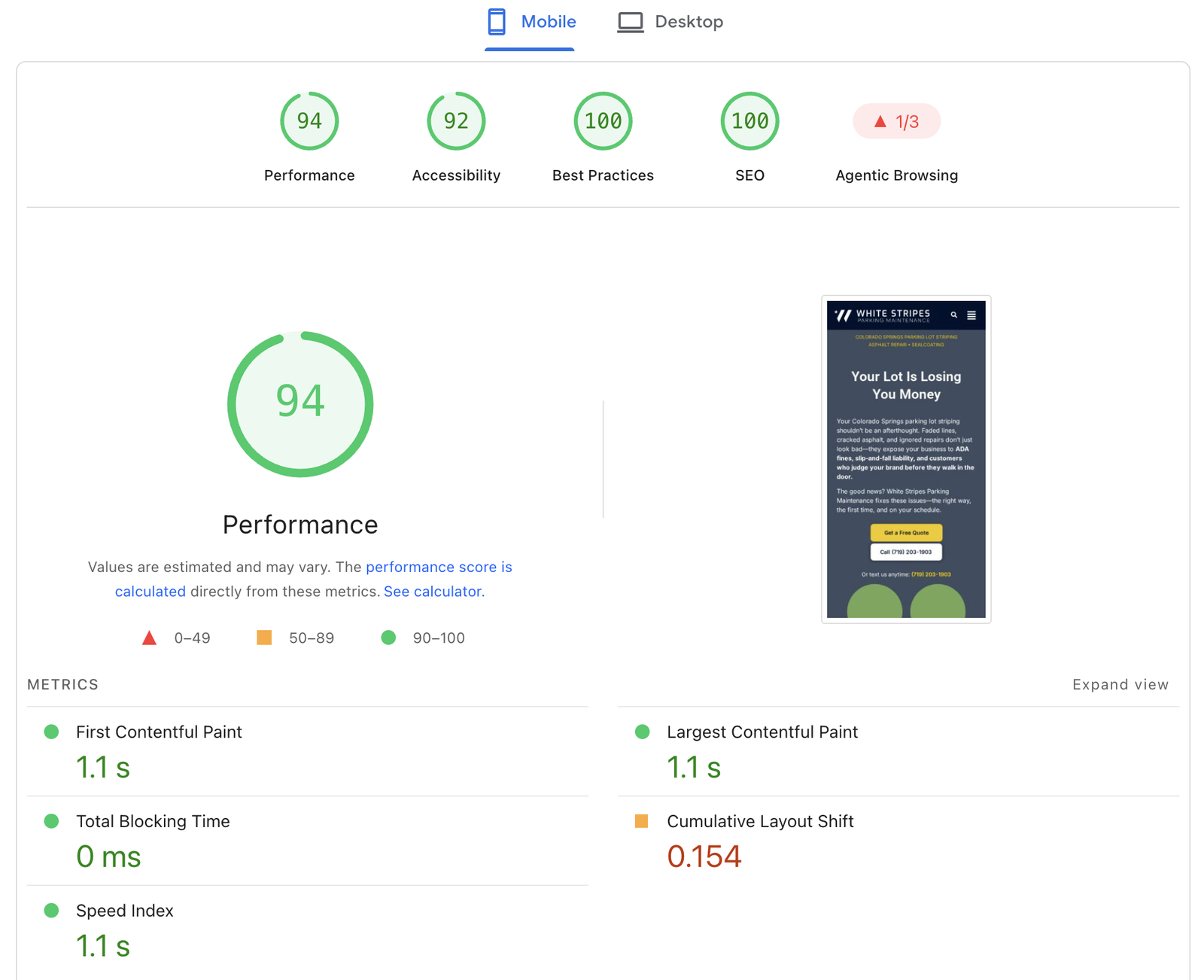
PageSpeed Insights report for the same site on mobile: Performance 94, Accessibility 92, Best Practices 100, SEO 100, First Contentful Paint 1.1 s, Largest Contentful Paint 1.1 s, Total Blocking Time 0 ms, Cumulative Layout Shift 0.154

Same site, mobile

Proof, not adjectives

Four steps, no mystery.

You always know what's happening now and what's next. Most projects run three to six weeks depending on scope.

90+/100

PageSpeed, desktop · Motor Vehicle Processing

0.8s

Largest Contentful Paint · same site

Pass

Core Web Vitals · every metric in the green
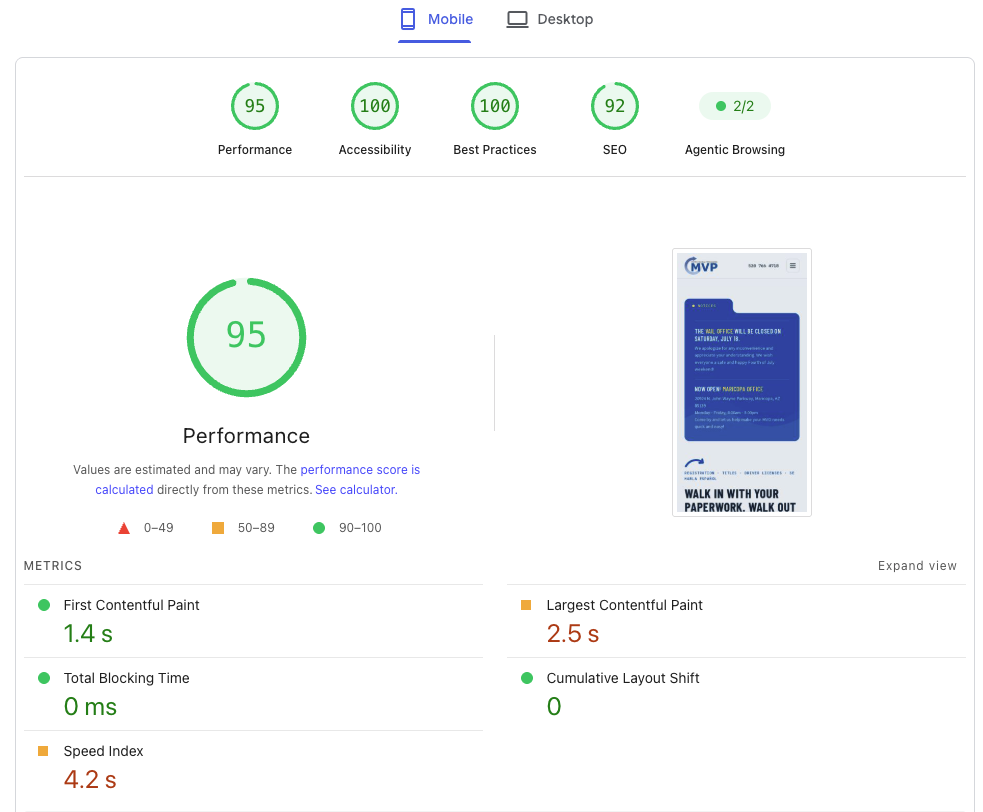
PageSpeed Insights report for the same site on mobile: Performance 95, Accessibility 100, Best Practices 100, SEO 92, First Contentful Paint 1.4 s, Total Blocking Time 0 ms, Cumulative Layout Shift 0
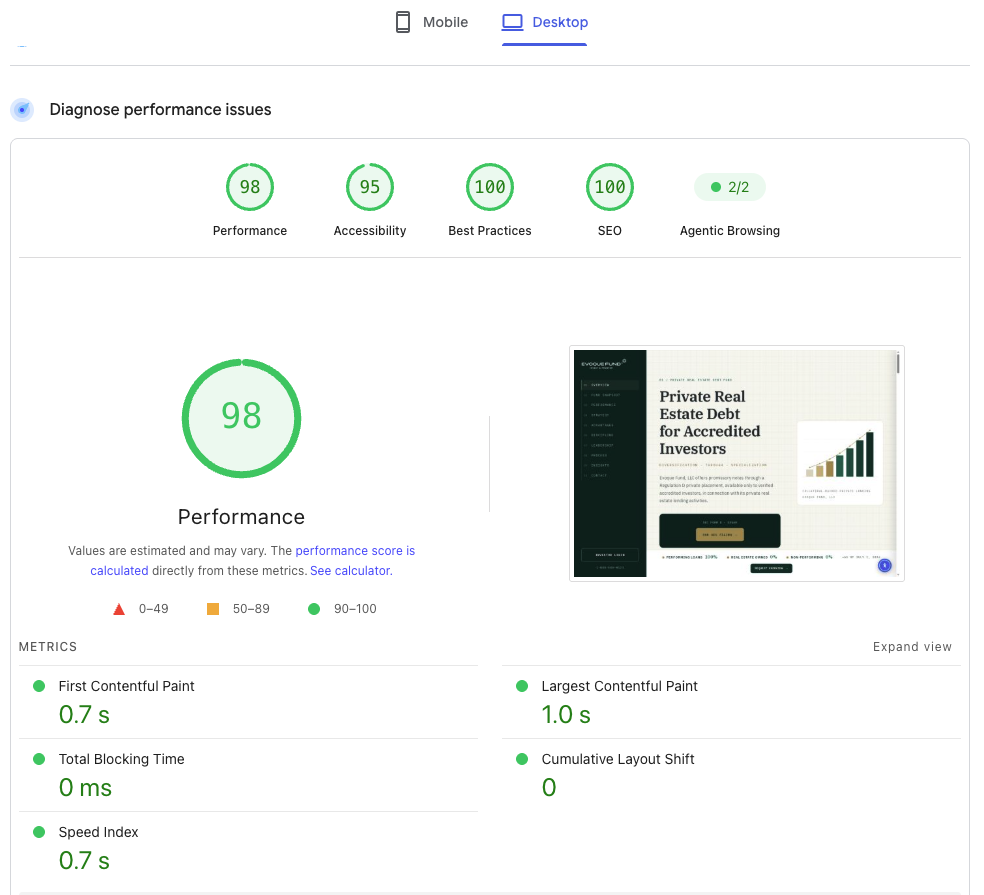
PageSpeed Insights report for Evoque Fund on desktop: Performance 98, Accessibility 95, Best Practices 100, SEO 100, Largest Contentful Paint 1.0 s, Cumulative Layout Shift 0
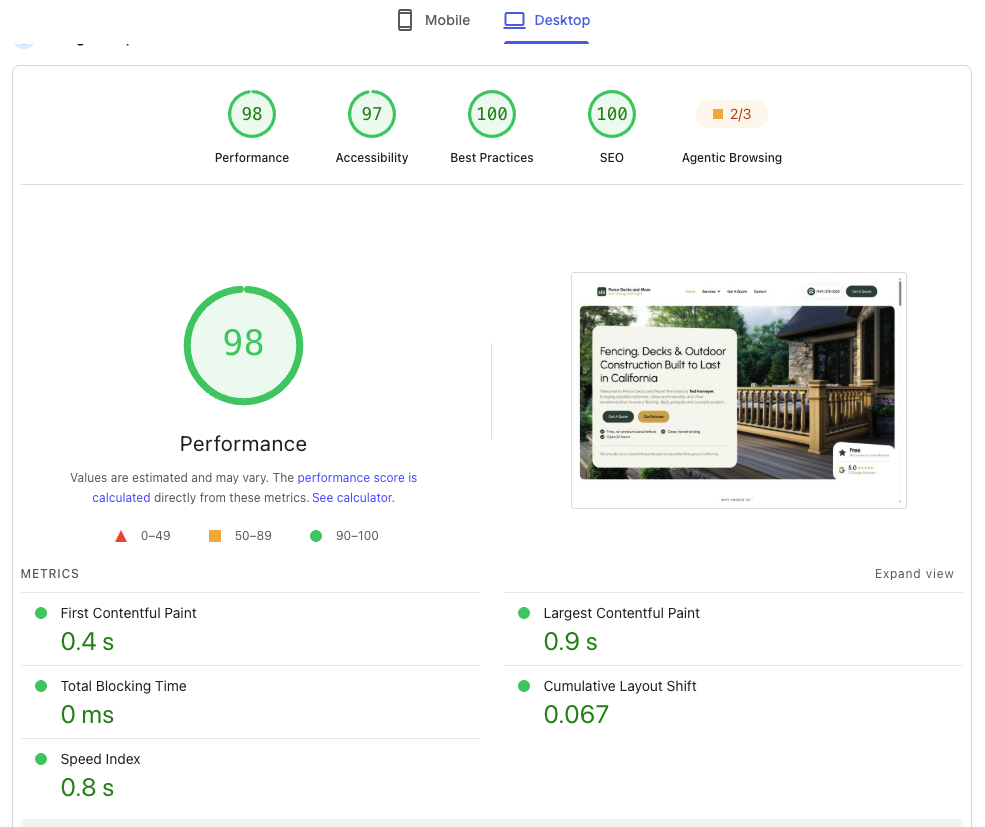
PageSpeed Insights report for Fence Decks and More on desktop: Performance 98, Accessibility 97, Best Practices 100, SEO 100, First Contentful Paint 0.4 s, Largest Contentful Paint 0.9 s, Total Blocking Time 0 ms, Cumulative Layout Shift 0.067
Live PageSpeed Insights reports, August 2026.
Questions

Speed work, answered.

It depends on where you start. Sites stuck in the 30s to 50s on mobile usually move into the 80s or 90s once render-blocking assets, oversized images and unused code are dealt with. I run PageSpeed Insights and a lab test before and after, so the change is a number you can see rather than a claim.

I target 90+ and passing Core Web Vitals on every project, and on lighter sites 100 is realistic. What I will not do is promise a specific number sight unseen. Some ceilings are set by third-party scripts, ad tags or a slow host, and I will tell you that up front rather than after.

PageSpeed throttles mobile to a slow CPU and network on purpose. Large hero images, heavy fonts and JavaScript that is fine on desktop become the bottleneck. Most of the work in a speed pass is aimed squarely at that mobile profile.

Yes. Most speed work is on existing sites, usually Elementor, Divi or a bloated theme. I audit the live site, agree the scope, then work on a staging copy so nothing breaks in production.

That is the risk with aggressive optimization plugins, which is why I work on staging and test every template and form before anything goes live. If a tweak saves 100ms but risks a layout, it is not worth it and I leave it out.

Desktop, usually yes. Mobile on an image-heavy Elementor or Divi site realistically lands in the high 80s to mid 90s after a proper pass. If you need a guaranteed lean baseline, a rebuild in Bricks or hand-coded WordPress is the stronger route, and I will say so if that is the honest answer.

Cost

What it costs.

$18/hour

A speed pass is usually quoted flat, once a short audit shows what is holding the score down. Hourly also works. Both run through Upwork with escrow.

What moves the number

Start a project

Send me the slow page.

Send me your current site or a rough brief on Upwork, and I'll come back with a plan and a number. Usually within one business day.

Also useful

You might also need

Bricks Builder Website

The same visual-editing idea with a much lighter footprint.
Explore

Speed Optimization

The heavy-builder tax cleaned up: 90+ PageSpeed on an existing Elementor site.
Explore

Ongoing Website Support

Updates, backups, security and speed monitoring after launch.
Explore